
If you’ve decided to try KINTO Join’s Free Travel Survey, you’re probably wondering: What exactly happens next? How much work will it be? How long will it take? And what do you actually need to do to get your report?
Here’s the good news: the process couldn’t be simpler.
You don’t need to chase data across departments, set up complex spreadsheets, or hire external consultants. In just a few clicks, you’ll send the survey to your employees, track their responses in real time, and receive a CSRD-ready, GHG-aligned report, automatically generated within the KINTO Join platform.
You’re fully in control of the process: you choose the deadline (most companies allow 10-14 days), you add the list of employees you are sending the survey to, and wait for results.
Think of this guide as your quick walk-through of what happens after you sign up for Free Travel Survey. Step by step, we’ll show you how to launch your survey, collect data, and get a professional downloadable report, all with zero stress and zero cost.
Fill out a short form on our website. Within 24 hours, we will send you a link to book the setup and quick walkthrough call. During that meeting, we will give you access to the platform and show you how it works.
Our team is available to help if you need support, but most users find they can create their first survey in minutes.
When your account is ready, you can move to Step 2: Set Up Your First Survey.
Once you’re logged into the platform, creating your first survey takes just a few clicks.
You’ll start by clicking “New Survey” on your dashboard. A short form opens where you can:
– Name your survey (for example, “Q1 Commuting Emissions Survey”)
– Choose a deadline for responses – most companies set around 10 days
– Import employee contacts you want to send the survey to (don’t worry, we won’t have access to your employees’ emails)
That’s it! No technical setup, no custom coding. You’re simply defining how long the survey will run and who it will go to.
Once everything looks good, click “Run survey”.
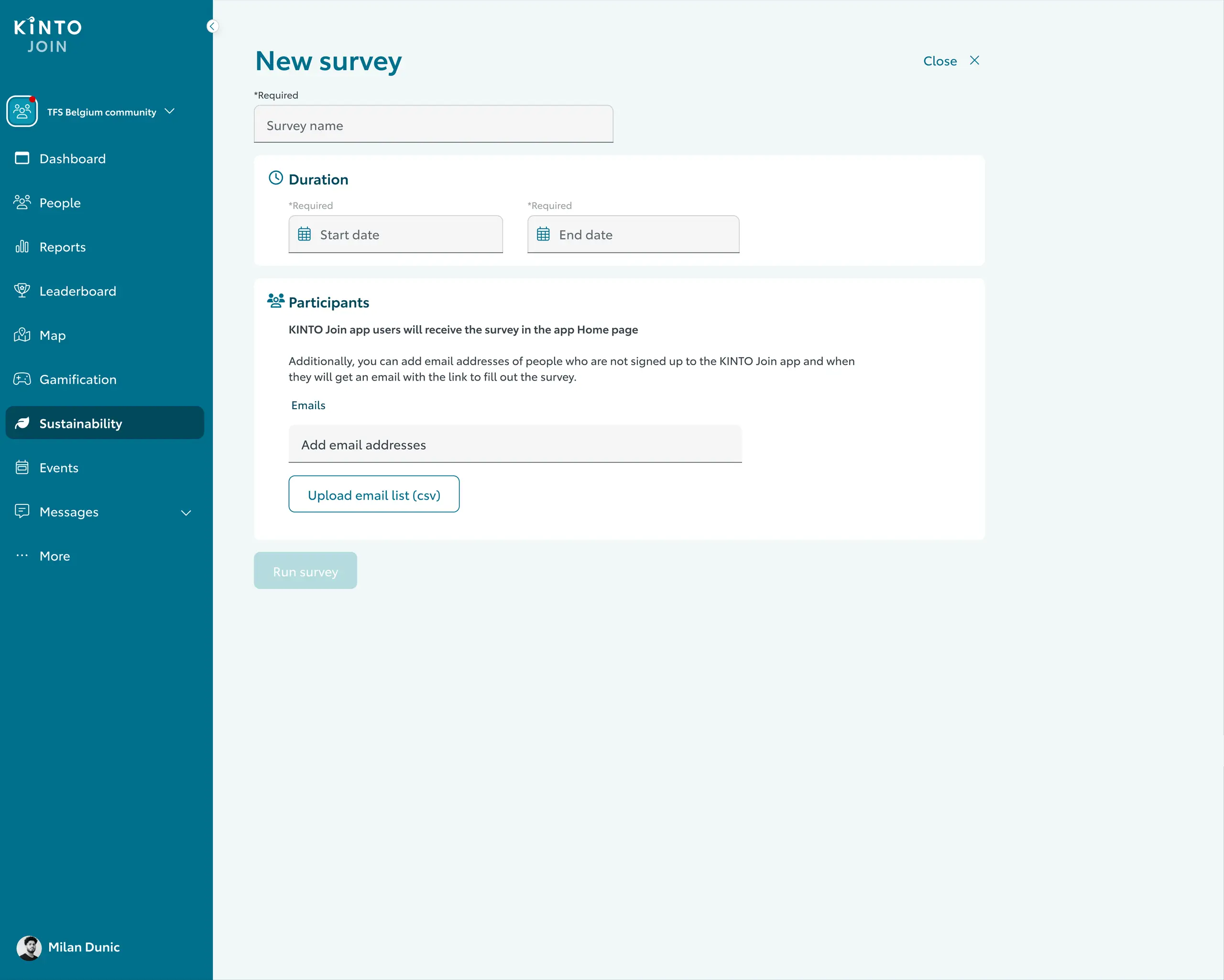
If you want to send the survey to more employees additionally, you can do so while the survey is on. Your employees will receive an email, where they will be asked to fill out the survey.
Important note: the responses your employees put in are anonymous. After they fill out the survey, they will get their carbon emission number and know how much CO2 they are creating based on their travel patterns. You will get aggregated answers from all employees.
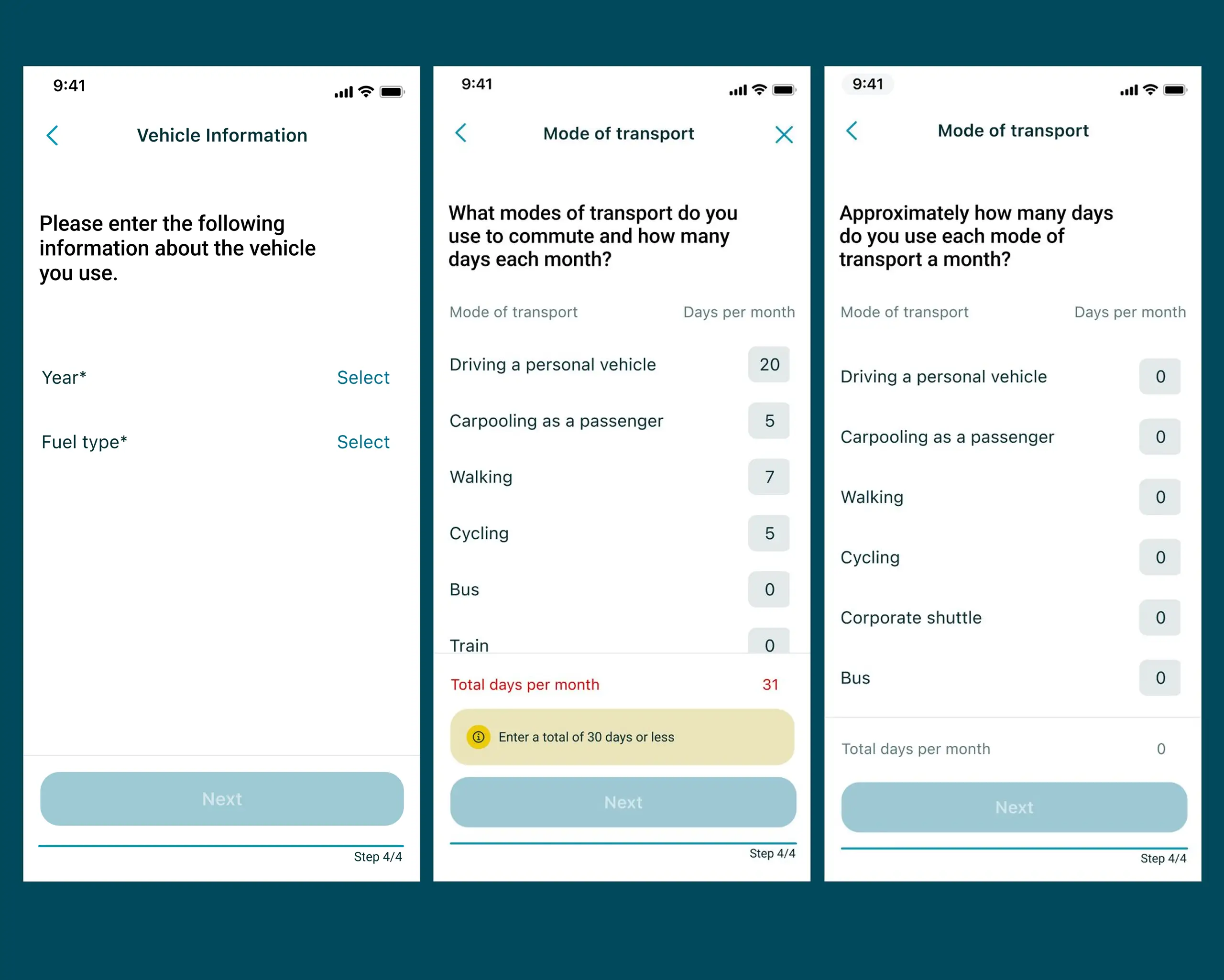
The survey is short and simple. These are question examples your employees will get.
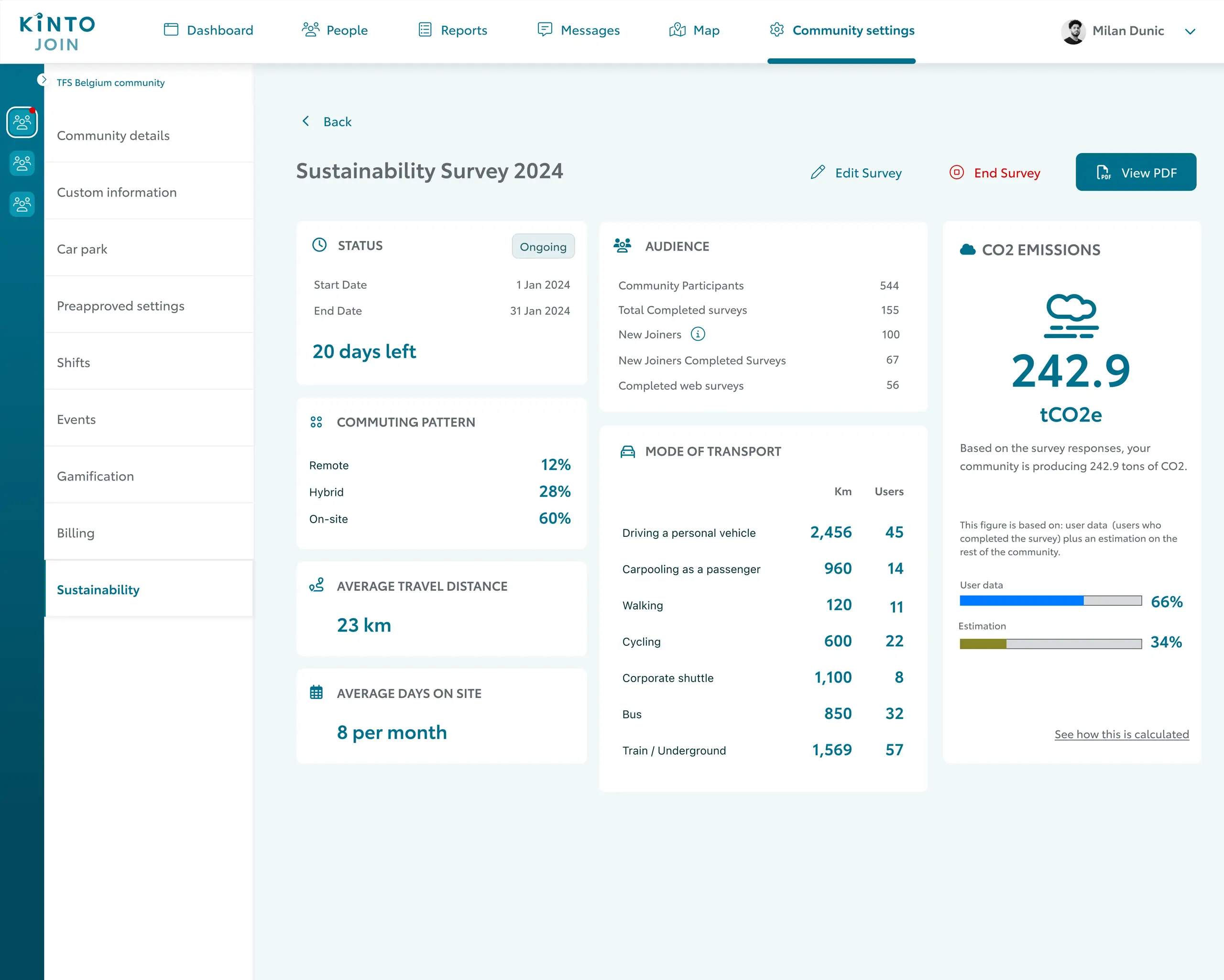
Once your survey is live, you can sit back and watch the results come in, literally.
The KINTO Join dashboard gives you real-time visibility into how many employees have completed the survey.
You’ll see:
– The overall completion rate
– A breakdown of the audience
– Live updates on response results
– How many days are left until the end of the survey
Once the survey ends, it’s time for the exciting part – your report!
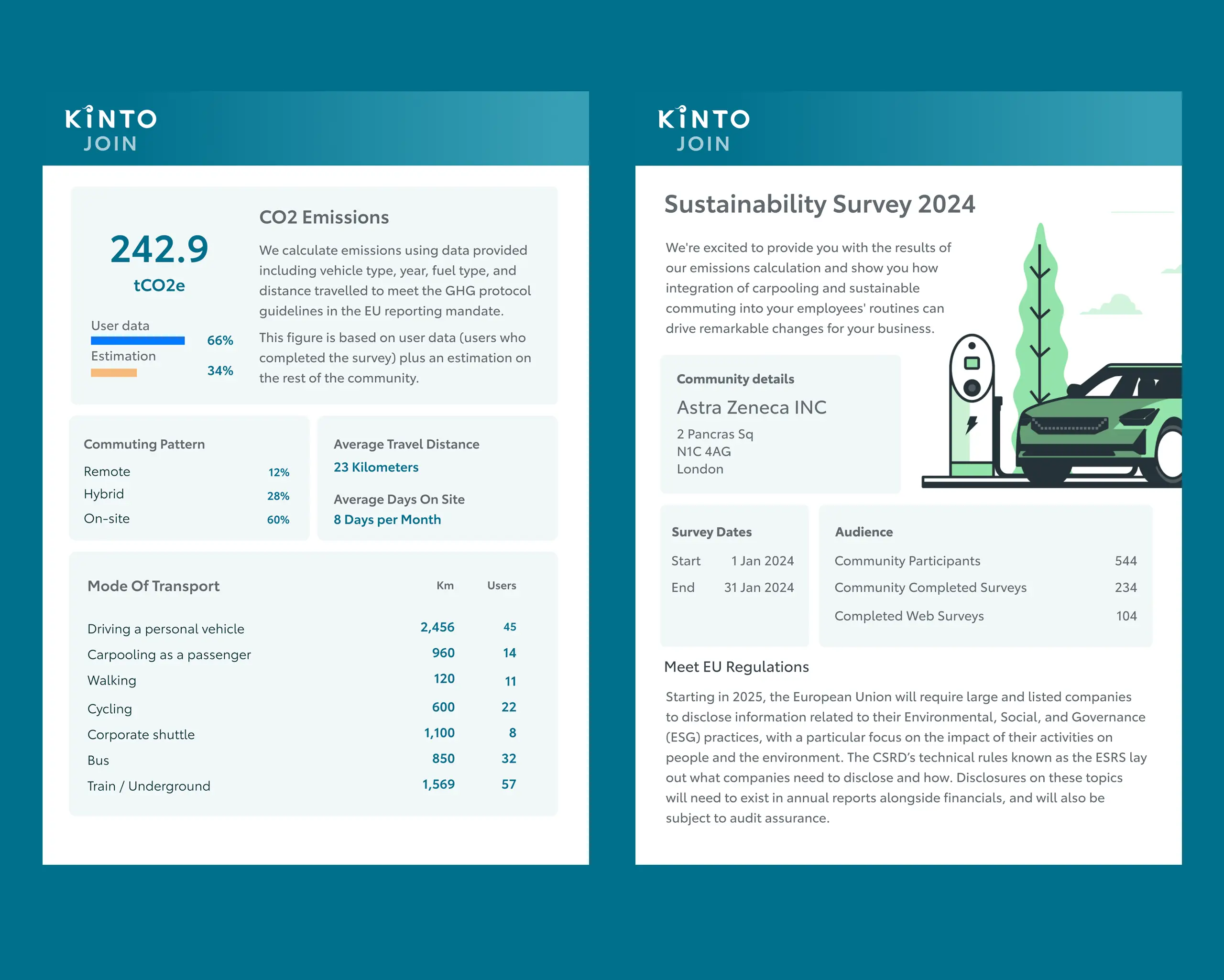
When your survey closes, your results are ready. No spreadsheets, no formulas, no manual work.
With one click on the “view PDF” button, you can generate a clean, compliant report that shows:
– Your organisation’s total commuting CO₂ emissions
– The breakdown by travel mode (car, public transport, walking, cycling, carpooling, etc.)
– Average commute distance and frequency
– Key insights and recommendations for reducing emissions
You can view the results online or download a ready-to-use PDF report, formatted in line with GHG Protocol and CSRD standards.
That’s it! A few simple steps from sign-up to a complete, CSRD-ready carbon calculator report.
No spreadsheets, no guesswork, no hidden costs – just clear, verified data that shows how your people commute and how it impacts your Scope 3 emissions.
So, why wait?
If you want to see how easy ESG reporting can be, and get real insights you can act on, don’t wait for another reporting cycle.
Apply for your Free Travel Survey today and get your report in just a few clicks.
Measure CO2 emissions from employee commutes with ease.